
Guides
Cornell Notes Template: A Practical Guide to Better Study and Work Notes Online
Learn how to use a Cornell notes template online with practical examples, mistake fixes, and a simple review workflow for better recall.
Read This For
- Cornell Notes Template: Quick Answer
A Cornell notes template is a three-part layout with a cue column, a notes column, and a summary section. It improves retention because it separates capture from review, so your notes are easier to scan and test later.
- What Is the Cornell Note Taking Method?
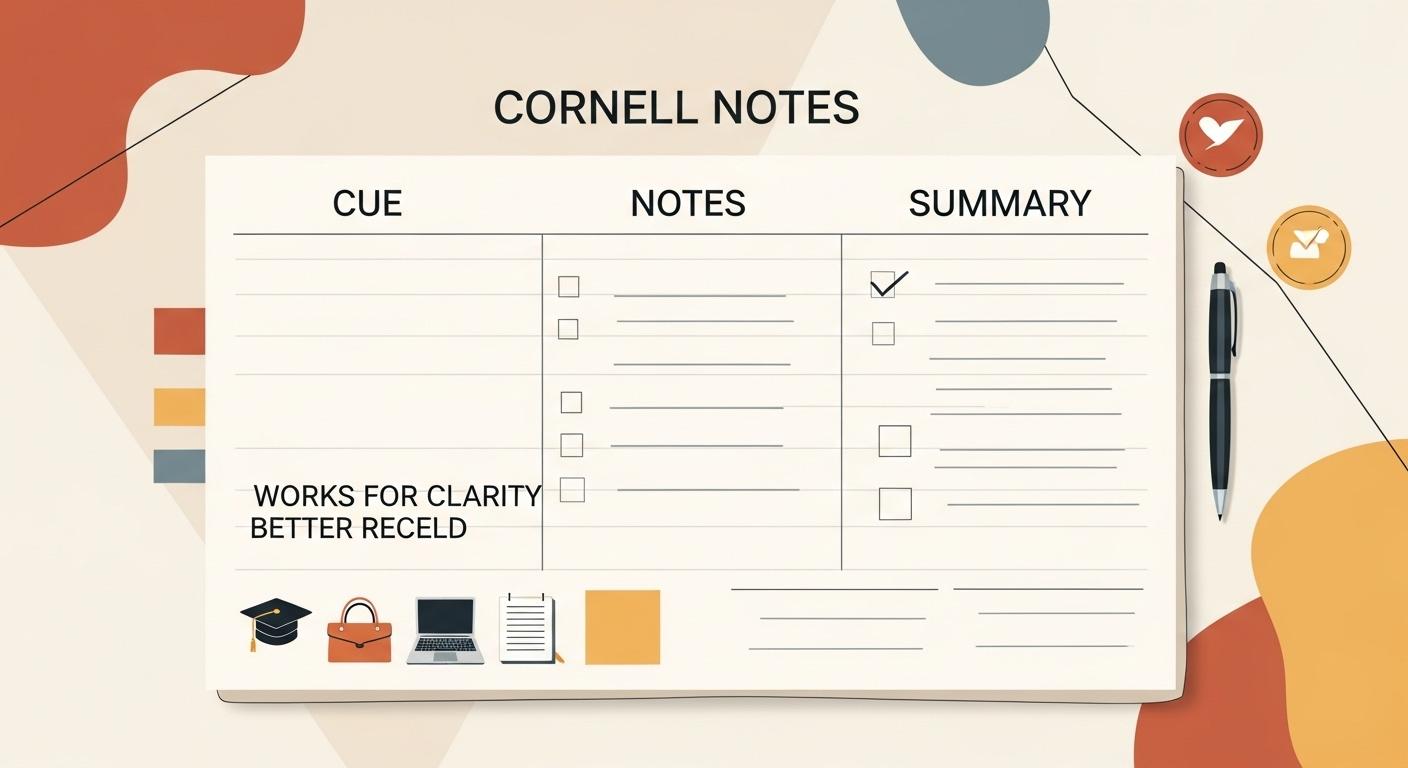
The Cornell note taking method organizes one page into three zones: cues on the left, detailed notes on the right, and a short summary at the bottom. The cue area is for prompts and trigger questions, not long explanations.
- When You Should Use a Cornell Notes Template
Use this format when notes will be reviewed again, such as exam prep, project onboarding, training, and recurring team meetings. It is especially useful when information is dense and likely to be forgotten without review.
Section 1
Cornell Notes Template: Quick Answer
A Cornell notes template is a three-part layout with a cue column, a notes column, and a summary section. It improves retention because it separates capture from review, so your notes are easier to scan and test later.
Use Cornell notes when you need to revisit material, not just record it once. The format works for lectures, textbook chapters, and meetings where decisions and follow-up actions matter.
Section 2
What Is the Cornell Note Taking Method?
The Cornell note taking method organizes one page into three zones: cues on the left, detailed notes on the right, and a short summary at the bottom. The cue area is for prompts and trigger questions, not long explanations.
This structure helps you turn passive notes into active recall practice. Instead of rereading full pages, you can cover the notes column and answer cue questions from memory.
Section 3
When You Should Use a Cornell Notes Template
Use this format when notes will be reviewed again, such as exam prep, project onboarding, training, and recurring team meetings. It is especially useful when information is dense and likely to be forgotten without review.
Skip Cornell format for very short temporary notes or open-ended brainstorming. In those cases, a plain checklist or mind map is usually faster.
Section 4
Copyable Cornell Notes Template (Simple Version)
Template: Title; Date; Topic; Cue/Questions column; Notes column; Summary. Keep cue lines short and question-based, then keep notes concise with one idea per line.
A minimal version is best when you are building habit. Once the routine is stable, add extra fields for action items and review checkpoints.
Section 5
Copyable Cornell Notes Template (Detailed Version)
Template: Title; Date; Source; Goal; Cue questions; Notes and examples; Clarifications needed; Summary; Follow-up actions. The detailed version is useful for difficult subjects and meeting records where next steps matter.
For each cue line, use prompt patterns like What, Why, How, and Example. This creates better self-testing prompts than generic labels.
Section 6
How to Use a Cornell Notes Template Step by Step
Before capture, write title and goal, then add three to five starter cues. During capture, write short lines, mark unclear items, and prioritize examples over verbatim transcript text.
Within 24 hours, fill missing cues, write a two-to-four sentence summary, and test yourself using only the cue column. A short review cycle is the part that improves retention most.
Related Links
Section 7
Cornell Notes Example: Lecture
Cue: What is active transport. Notes: Movement against concentration gradient, requires ATP, example sodium-potassium pump. Summary: Active transport uses energy to move molecules against gradients and is often tested against passive transport concepts.
The example works because cue prompts are specific and summary lines explain why the concept matters, not just what it is.
Section 8
Cornell Notes Example: Reading and Team Meeting
Reading example cue: What caused the policy shift. Notes: economic pressure, labor unrest, coalition changes. Summary: change came from combined factors rather than one trigger event.
Meeting example cue: What was decided and who owns follow-up. Notes: launch moved to new date, QA owner assigned, copy updates due next week. Summary: decision and ownership are explicit, so execution does not depend on memory.
Related Links
Section 9
Cornell Notes vs Outline vs Mind Map
Use Cornell for review-heavy material, outlines for clearly hierarchical source content, and mind maps for early-stage ideation. The best method depends on your goal at that moment, not on one permanent preference.
A practical hybrid is to brainstorm with a mind map, then convert final learning points into Cornell format for revision and recall.
Section 10
Common Cornell Notes Mistakes and How to Fix Them
Common mistake one is leaving cue columns empty. Fix it by forcing each cue line into a direct question. Mistake two is transcript-style note blocks. Fix it by writing one compressed idea per line with short examples.
Common mistake three is skipping the summary and review cycle. Fix it by setting a same-day ten-minute review and a second review two to three days later.
Section 11
Role-Based Guidance: Student, Freelancer, and Team Lead
Students should organize Cornell notes by course and week, then use cue prompts for self-testing before exams. Freelancers can use the same layout for client research and project discovery notes.
Team leads can use Cornell format for meeting prep and decision tracking, then convert final outcomes into shared execution records.
Section 12
Conclusion: Build a Cornell Notes Template Habit
A Cornell notes template works because it combines structure with speed. You capture information once, then review it with clear prompts instead of re-reading long pages.
If you want to start quickly, ProNotepad gives you a distraction-free writing space with instant saving so you can paste a Cornell template and use it right away.
Questions Readers Usually Have
FAQ: Cornell Notes Template
Is a Cornell notes template only for students?
No. It also works for meetings, training notes, and project research when you need better recall.
How often should I review Cornell notes?
Review once within 24 hours, again after two to three days, and once more in about a week.
Should cues be keywords or questions?
Questions are usually better because they force recall instead of passive scanning.
Can I use Cornell notes for short meetings?
Yes, but keep it lightweight and focus on decisions, owners, and deadlines.
Is typing or handwriting better for Cornell notes?
Use the format you can sustain consistently; both can work with a review habit.
Next Reads
Continue with related note-taking and workflow guides.
Useful Tools
Jump from the article into focused ProNotepad workflows.
Try ProNotepad
Put the article into practice in a clean writing space without changing your workflow.
Open Online Editor